Delight your customers at scale
Scale your support with a simple yet feature-packed helpdesk. Automate workflows, enable self-service, and give your team the tools they need to collaborate and resolve issues faster in a clean, intuitive interface that just works.
No credit card required.
Artificial Intelligence
Smarter support with Desk365 AI Agent
Desk365 AI combines an autonomous AI Agent with an embedded AI Copilot to transform how support teams operate. The AI Agent resolves repetitive queries instantly, while AI Copilot assists agents in real time with context-aware drafting, summarization, and knowledge suggestions. The result is faster resolutions, consistent communication, and more time for your team to focus on high-impact work.
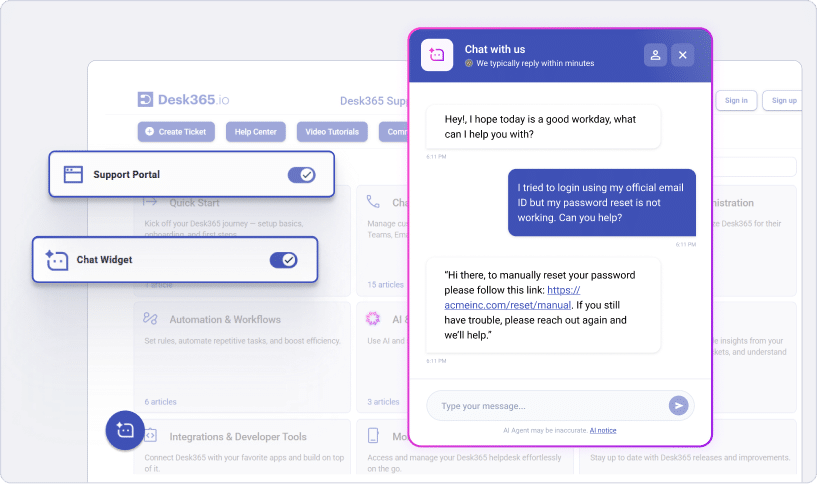
Build, train, test and deploy AI Agents that can chat with customers to resolve simple issues or escalate complex questions. Deploy them on the right channels to deflect L1 tickets.
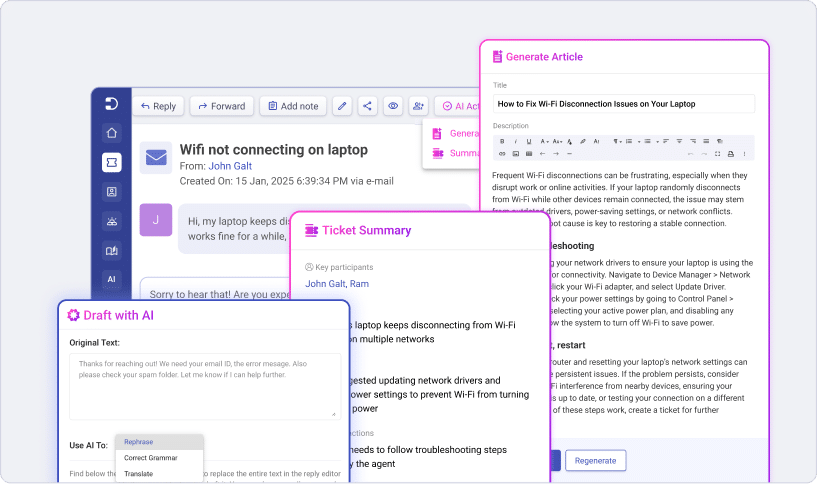
Desk365 AI Copilot helps agent to draft intelligent replies in seconds, generate concise summaries of long tickets, and transforms resolved tickets into structured Knowledge Base articles.
IT Service Management
Streamline IT operations with built-in ITSM
Desk365 supports core ITSM workflows with asset management, change management, and approval processes to help teams manage services, assets, and operational changes efficiently.
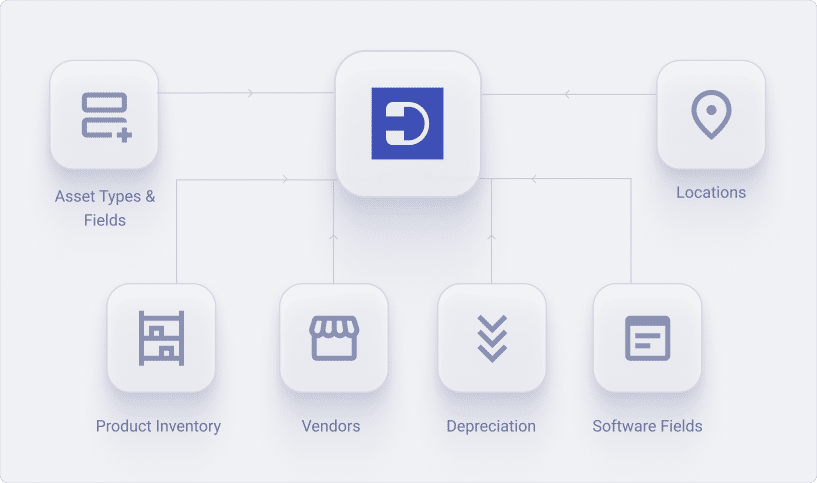
Track all IT assets across hardware, software, consumables and more across their lifecycle. Track vendors, depreciation and more. Link assets to users and tickets for complete visibility across the asset lifecycle.
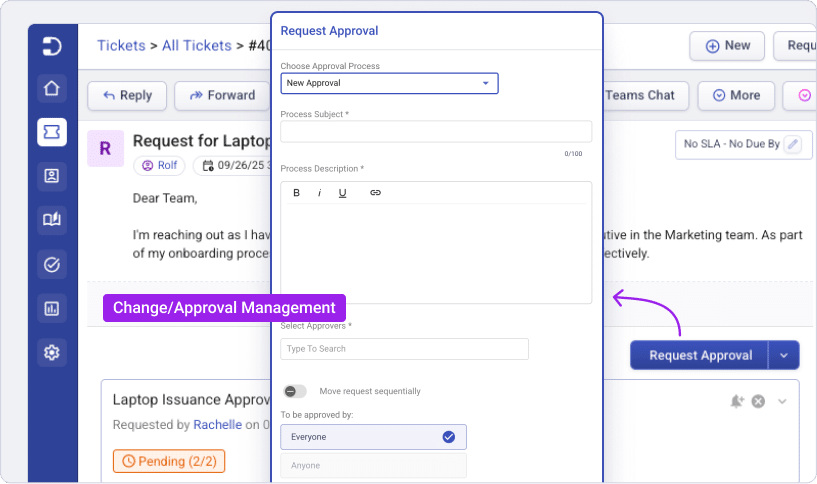
Streamline your approval processes with automated workflows. Whether sequential or non-sequential, Desk365 enables smooth collaboration among multiple stakeholders, ensuring timely approvals without unnecessary back-and-forth.
Microsoft Integrations
Work natively within Microsoft 365
Desk365 integrates deeply with Microsoft 365, enabling ticketing directly inside Microsoft Teams while syncing users via Entra ID and automating workflows with Power Automate for a seamless support experience.
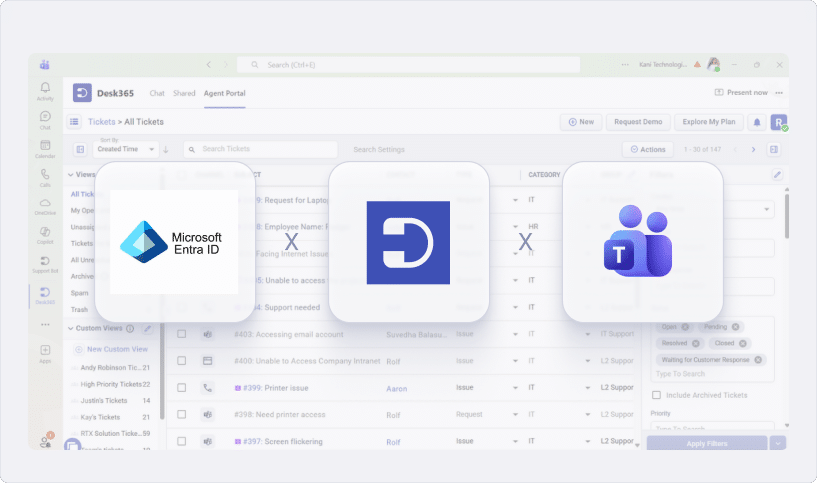
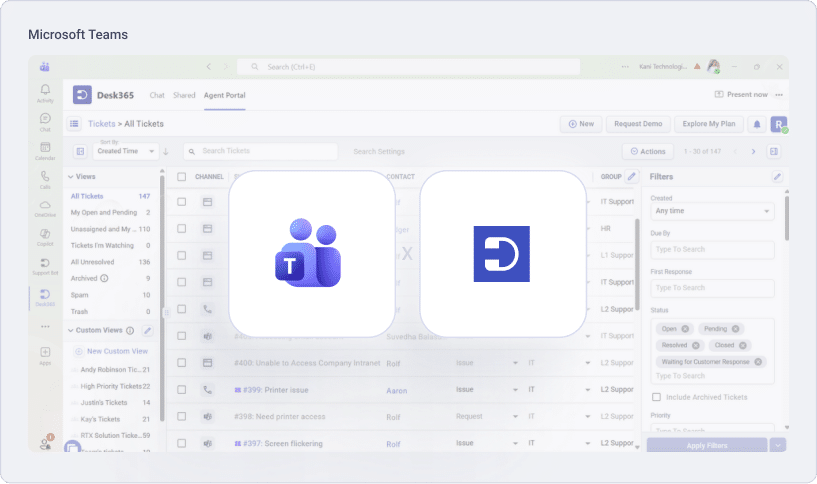
Manage support directly within Microsoft Teams with native ticket creation, updates, and notifications. Agents can collaborate, respond to tickets, and track requests without leaving Teams, streamlining support within the Microsoft workspace.
Automatically sync users, roles, and departments from Microsoft Entra ID into Desk365 to keep contact records up to date, streamline user provisioning, and ensure secure, centralized identity management.
Ticketing
Discover modern ticketing
At Desk365, ticketing is designed around real support workflows helping teams capture, organize, and resolve requests without unnecessary complexity. Customer can raise tickets from any channel and agents can resolve them all in one place.
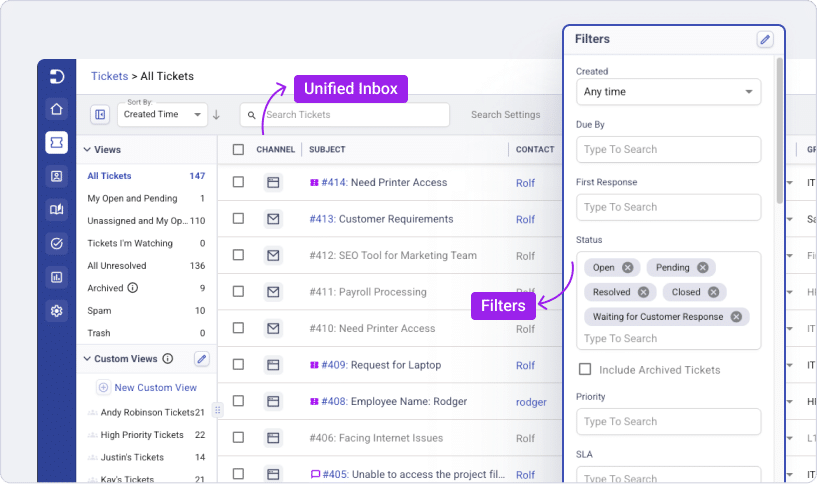
A single inbox where all your customer support requests are present. Your agents can now collaborate and manage requests from all channels in one easy-to-use, intuitive interface.
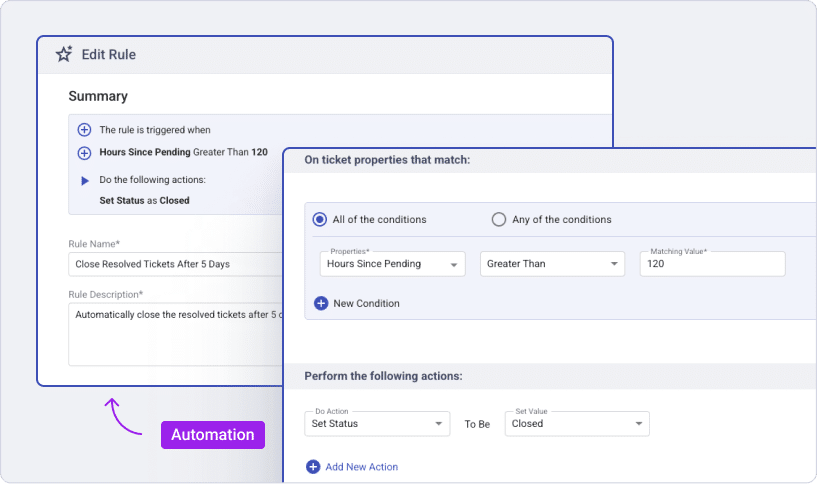
Automation macros that get triggered during ticket creation and ticket updates. Highly configurable based on ticket/customer properties and events.
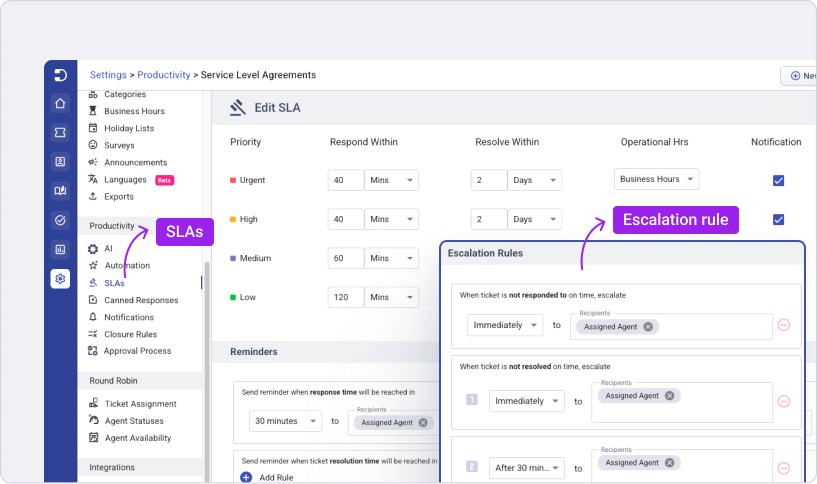
Service Level Agreements are monitored to provide you with periodic reminders before they’re due, as well as if and when infractions occur.
Integrate Desk365 with in-house or third-party apps and services using the Desk365 API/Webhook or using the Desk365 Power Automate connector.
Omnichannel
Go where your customers are
Make it easy for your customers to reach you through all the channels that are convenient to them.
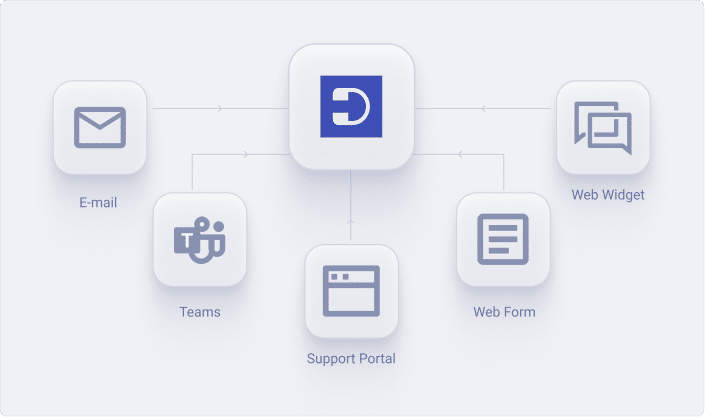
Your customers can create tickets, receive notifications, check on statuses, and respond back to your agents, all without leaving Teams.
Web widget that can be easily configured to fit into your website or web product. A powerful way for your customers to send in-context information while creating tickets.
Customer emails get converted into tickets. Agent responses are sent via email and are also visible on your customer support portal. Multiple custom emails can be configured.
Prefer an iframe form to a web widget? No worries, we got you covered with a configurable web form that you can add to your website.
Self - Service
Encourage self-service with an online Knowledge Base
Desk365’s Knowledge Base makes it easy for your customers to help themselves and for your agents to share answers efficiently.
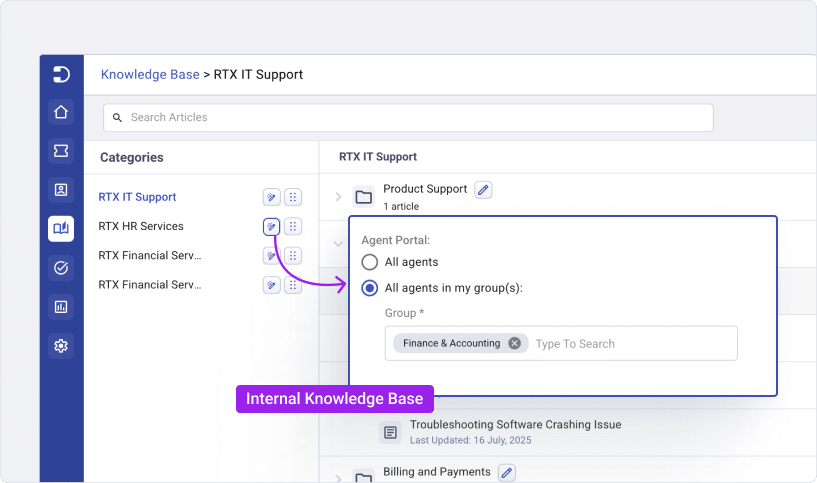
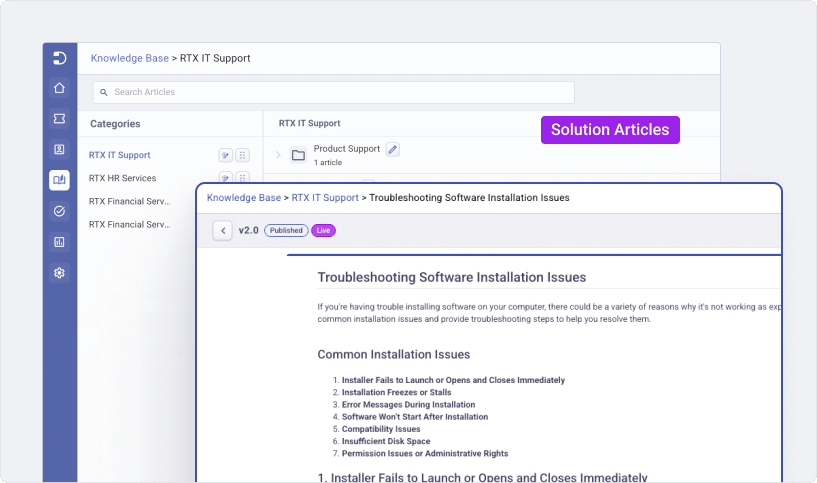
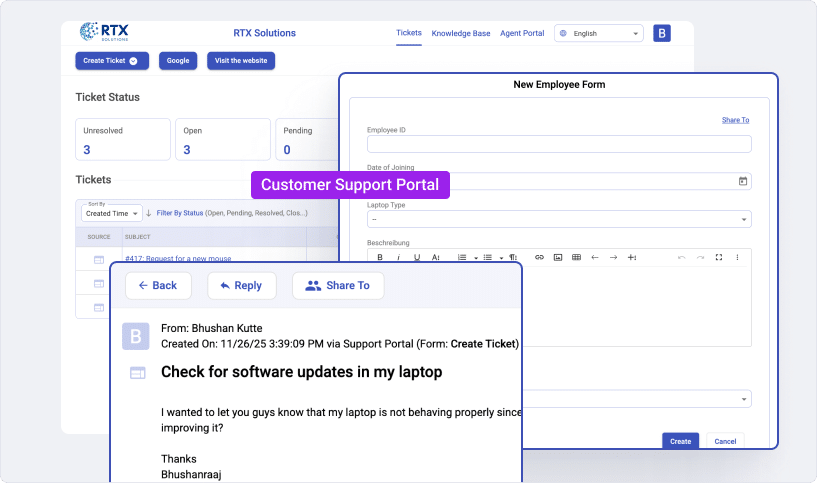
Create and share solution articles with ease using the Knowledge Base. Share articles with other agents, review, and publish them. Make them visible only to your agents, that act as training for the newer agents.
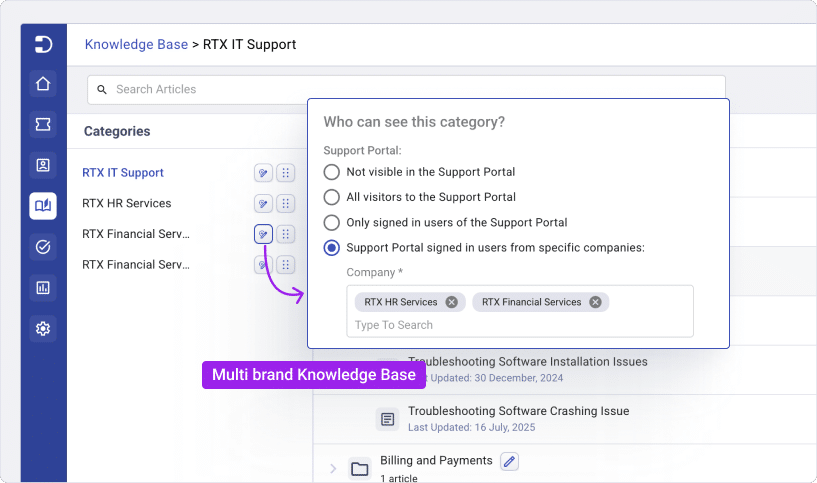
Create a unique help-center portal for the different customers you have, by displaying different folders of solution articles for different customers.
Keep your Knowledge Base accurate and up-to-date with article versioning. Update existing content while retaining older versions for reference, ensuring that your customers and agents always access the latest, most reliable information.
Provide your customers with a web-based portal where they can create and manage tickets, view solution articles from your Knowledge Base. Customize the portal according to your brand guidelines.
Productivity
Improve team and agent productivity
Features that automate mundane tasks so that your agents concentrate only on tasks that require their attention.
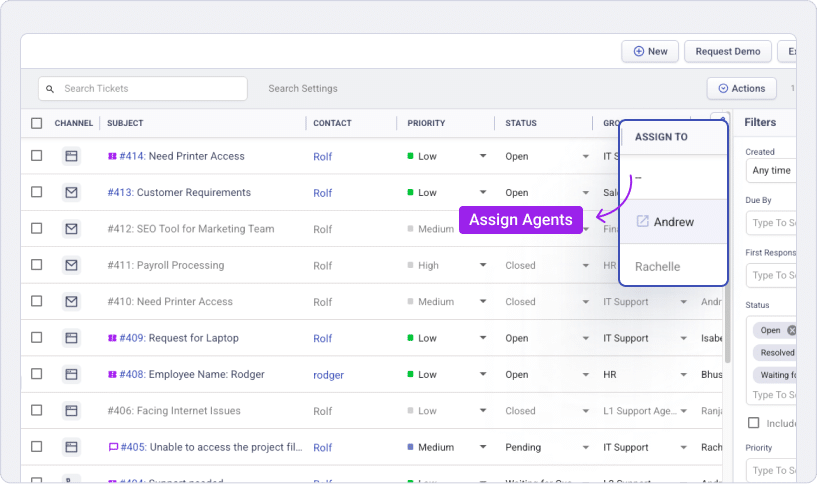
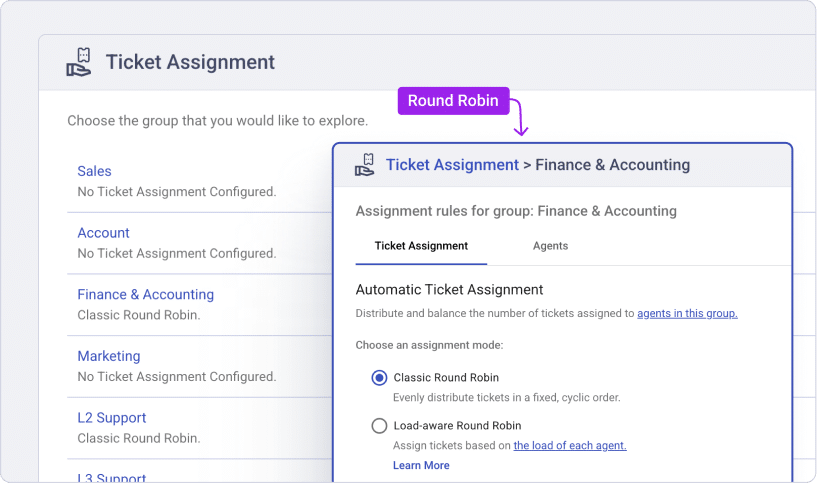
Automatically assign tickets to agents and groups based on ticket fields, custom properties, keywords, events, and more with workflow automations.
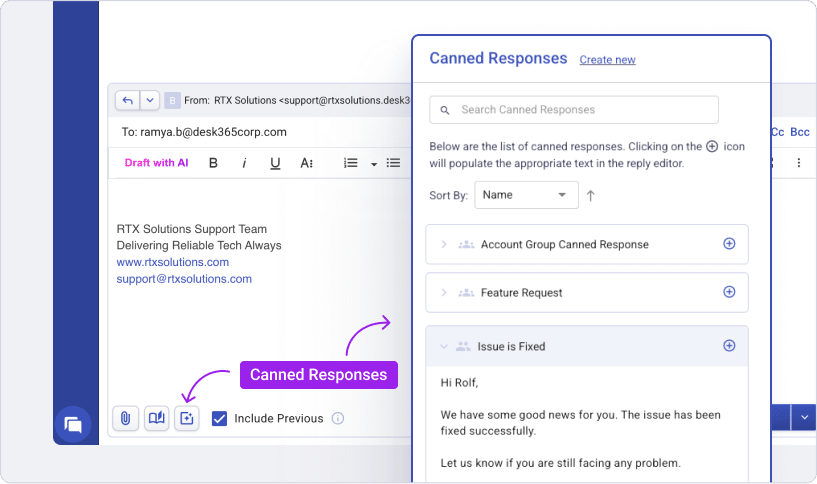
Agents can create canned responses. Having a library of canned responses makes it easy to respond quickly to routine requests.
Break language barriers with built-in multilingual support. With the Draft with AI feature, Agents can converse with customers in their preferred language, making it easier to deliver personalised and accurate support across regions.
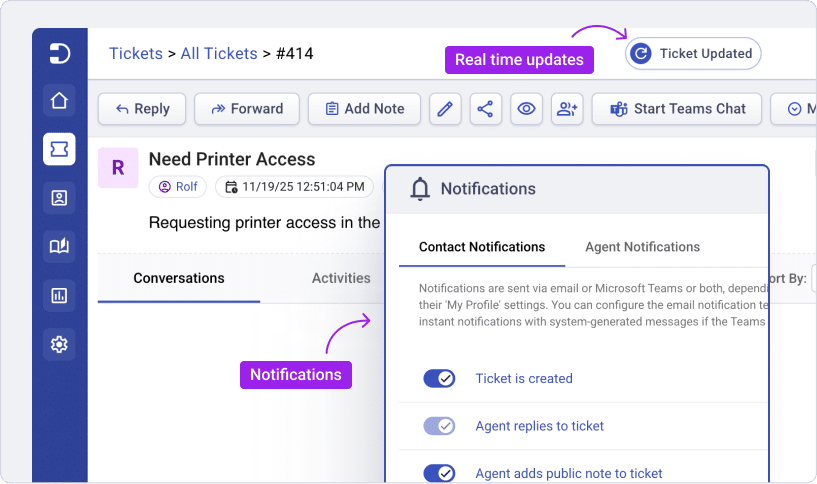
Keep your team informed with instant alerts for ticket replies & activities via email, web, & Desk365 Teams Bots. Alert agents with real-time updates directly within the ticket list and details views, ensuring agents never miss a critical update.
Within Microsoft Teams, the Desk365 Agent Bot makes it easy to view and respond to important tickets while your agents are on the go.
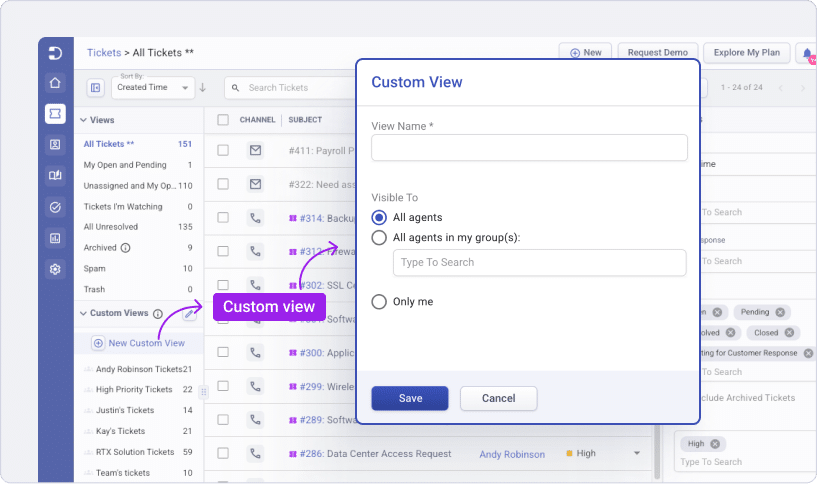
Create filtered ticket views that suit your requirements, save them as custom views and they’re available for you all the time. Get analytics and metrics based on custom views.
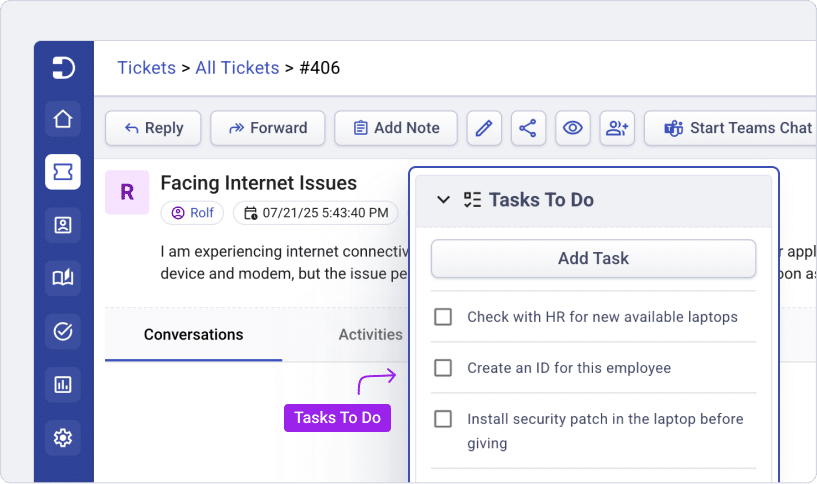
To-do Lists that can be customized to individual agents, tickets and more. Customize ticket types to automatically add set of tasks.
Effortlessly manage support requests with the Round-Robin Ticket Assignment. Automatically distribute tickets among support agents to ensure balanced workloads and timely responses.
Collaboration
Collaborate with ease
Features that make it easy for your agents to collaborate and provide quick, consistent service to your customers.
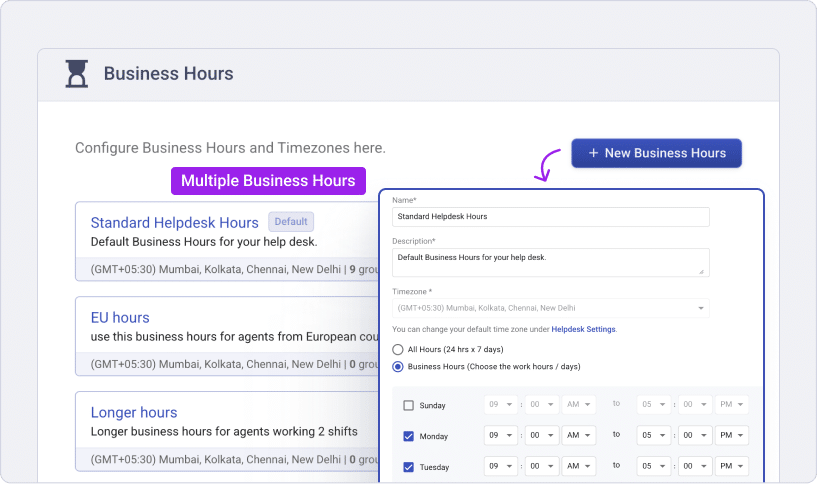
Define unique business hours and holiday lists for different teams or regions, ensuring SLA calculations align with operational schedules. Set specific time zones, and working days, and exclude holidays from SLA timelines for fair and precise ticket resolution.
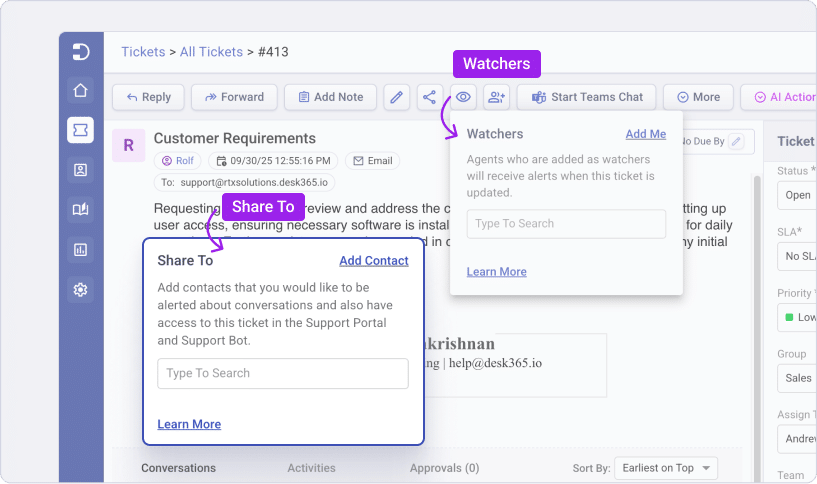
Ticket ‘Watchers’ get notified of all activities in a ticket. Makes it easy for multiple agents to collaborate on the same ticket. Add non-agent contacts to ‘Share To’ lists to allow them access to tickets from the Support Portal and Support Bot.
Seamlessly access Desk365 functionalities directly within Microsoft 365 Chat, changing how you manage helpdesk tasks.
Configure departments into groups and provide access at a global level, department level or agent only level. Multiple email servers can also be configured.
Customization
Customize Desk365 to suit your needs
Customize your support portal, agent roles, ticket fields, workflows, and more to make the helpdesk act how you want it to be.
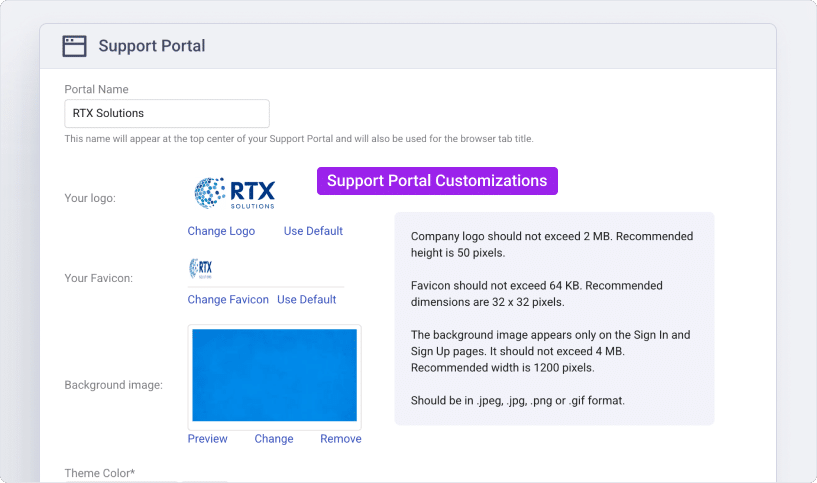
Customize the look of your support portal to reflect your brand guidelines by applying your brand theme colors and adding your company logo.
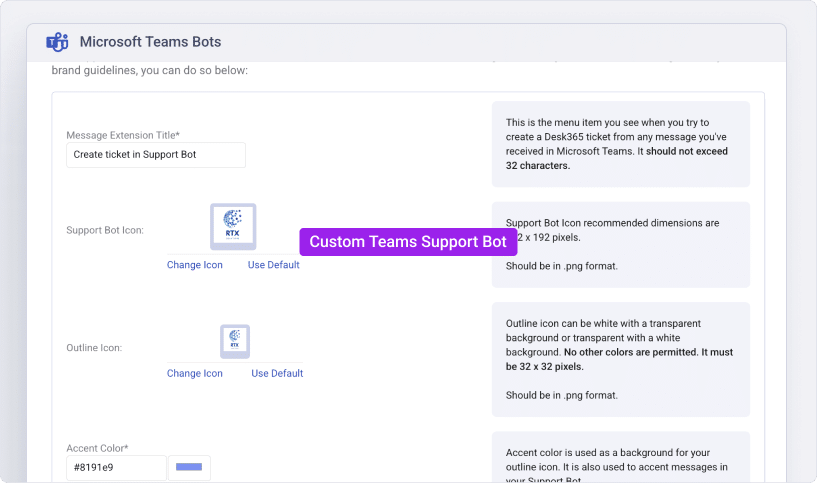
Customize the Desk365 Teams Support with your own brand logo, color and copy to fit your brand guidelines.
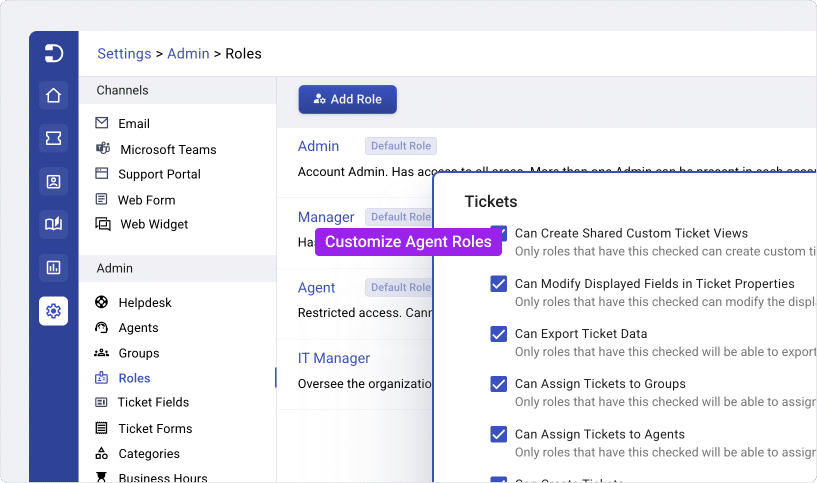
Configure how your support team members can access Desk365. Roles can be set up for different scope levels (global, department, or individual) and feature levels.
Create filtered ticket views that suit your requirements, save them as custom views and they’re available for you all the time. Get analytics and metrics based on custom views.
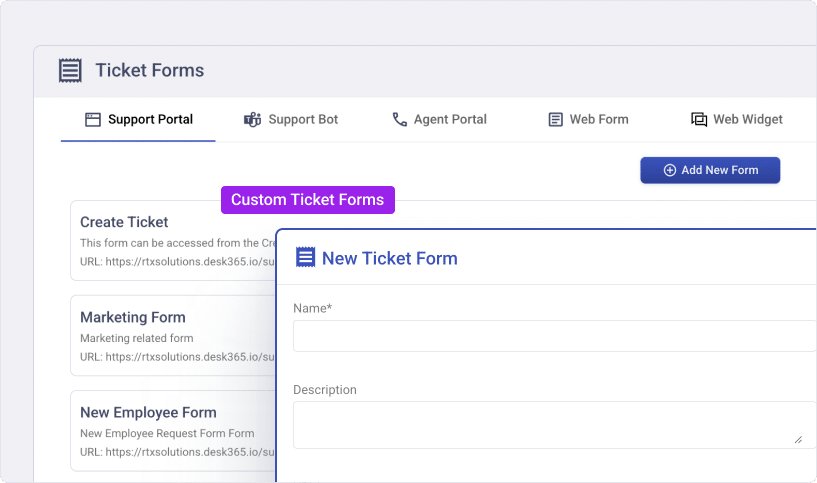
Customize your ticket forms with customized ticket fields that fit your needs. Create multiple ticket forms that help you maintain distinct workflows.
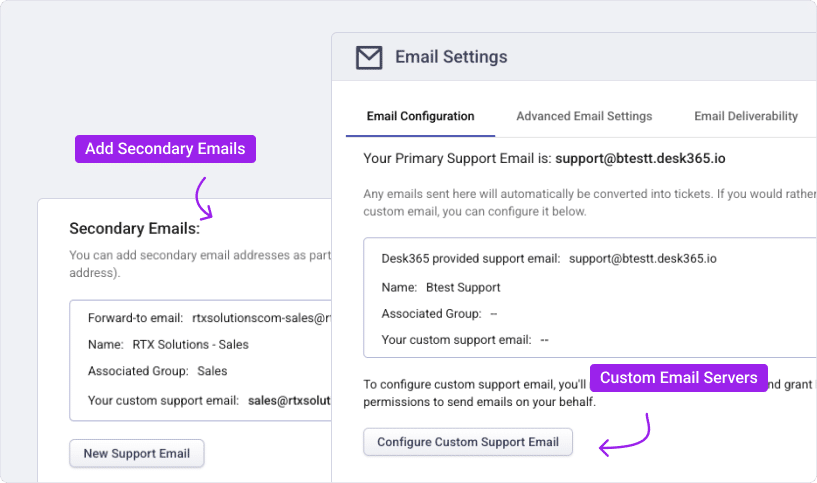
You can use your own custom support email like ‘support@yourdomain.com’. Also, you have the option to add secondary emails for multiple departments like sales@domain.com, marketing@domain.com etc. in your helpdesk.
Contact Management
Organize and manage contacts effortlessly
Centralize customer and employee contact information with structured profiles, company associations, and custom fields, helping agents quickly access context and deliver more personalized, efficient support.
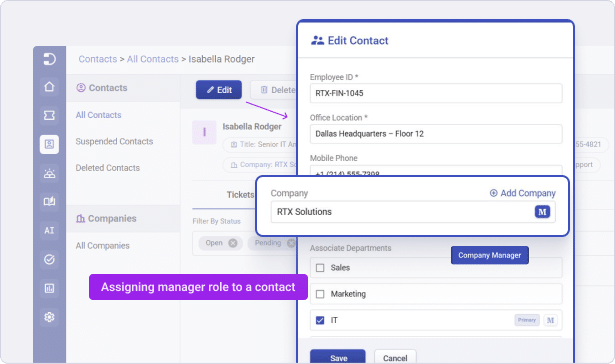
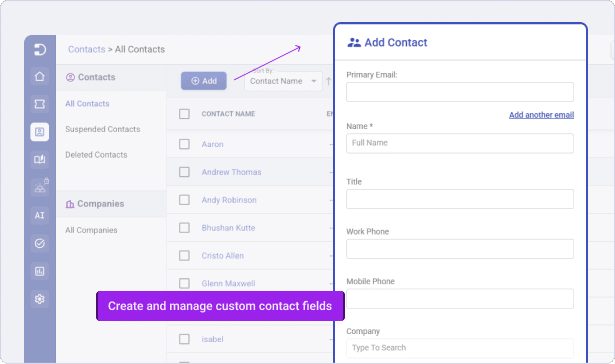
Keep all customer and company information in one place. From contact details, to support history, unify all relationship information, so agents always have the context they need to resolve issues quickly.
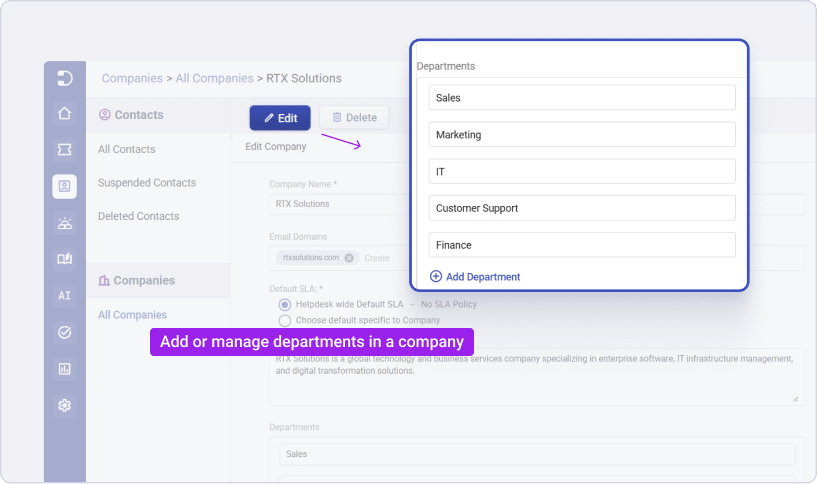
Organize contacts by department, assign company managers, and provide the right visibility to stakeholders all while maintaining clean data that scales with your organization.
Analytics
Track and analyze your customer support metrics
Get actionable insights into your team’s performance. Plan, and make the right decisions to improve your support performance using powerful reports.
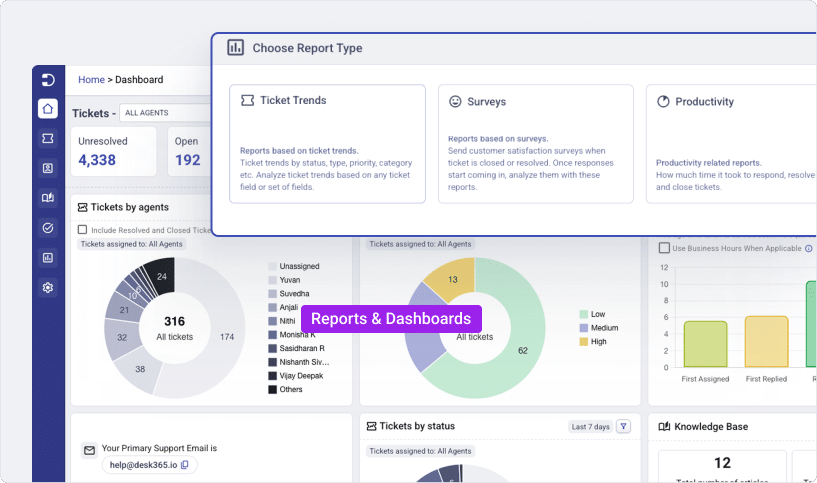
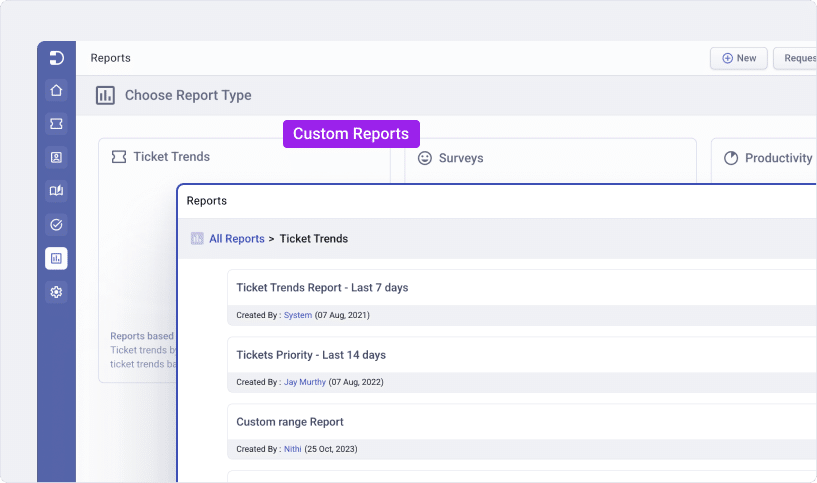
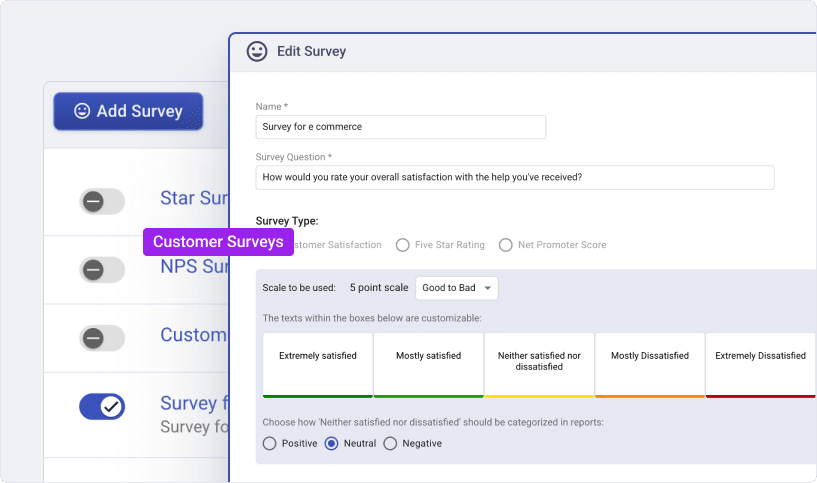
Build reports from scratch and customize them according to whatever you wish to analyze.
Stay on top of what matters most with customizable home tab dashboards. Create multiple dashboards for different teams, roles, or priorities, so every agent, manager, or admin gets a tailored view of their performance metrics.
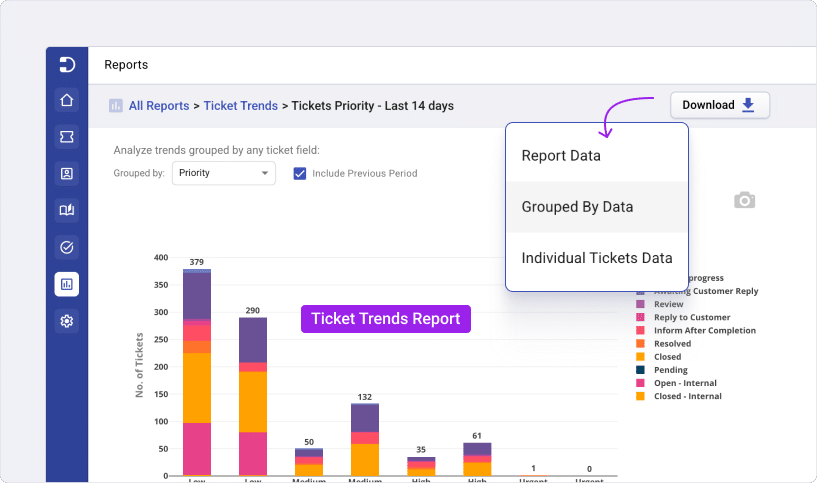
Analyze ticket trends based on any ticket field or set of fields such as agents, groups, channels, type, category, and more.
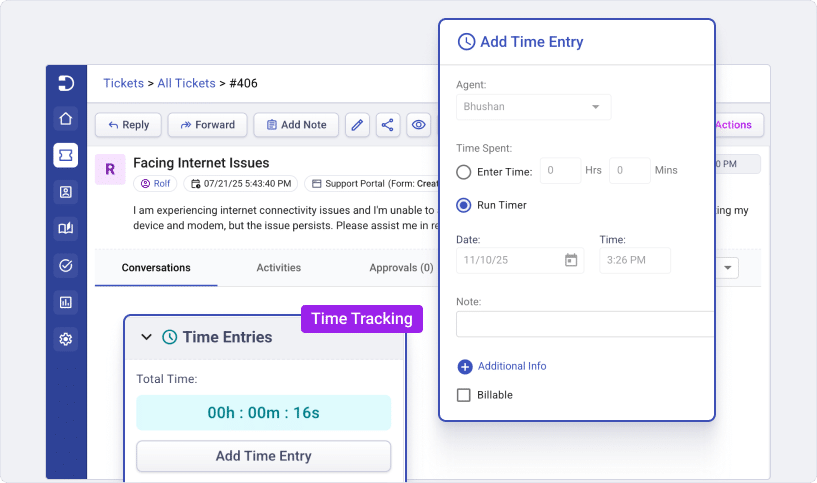
Easily track agent’s time spent on tickets and to report on them. Agents can enter the exact time spent on a ticket or use a timer to keep track of it.
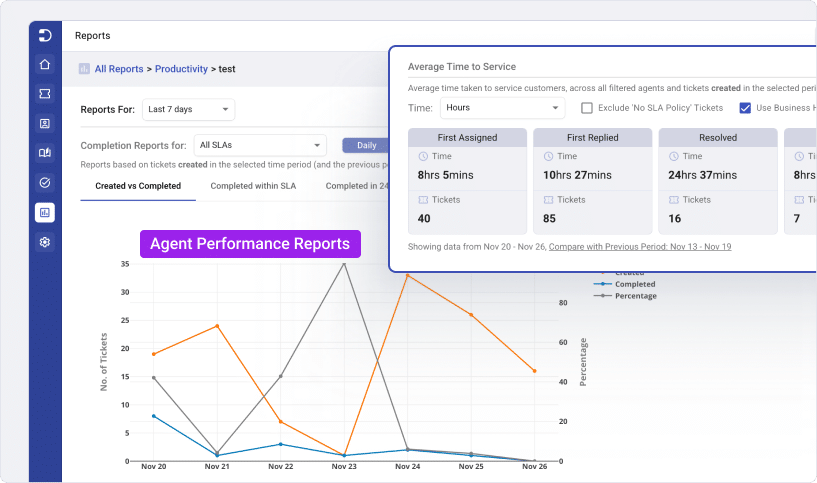
Analyze agent performance such as response time, resolved time, and ticket closed time. Measure how well an agent is performing for a given ticket after each customer interaction.
Measure how customers feel about your support team using different CSAT surveys.
Security
Enterprise-grade security for your helpdesk
Protecting your customer and business data is at the core of Desk365. With built-in enterprise-grade security features, you can be confident that your helpdesk is safe, compliant, and only accessible to the right people.
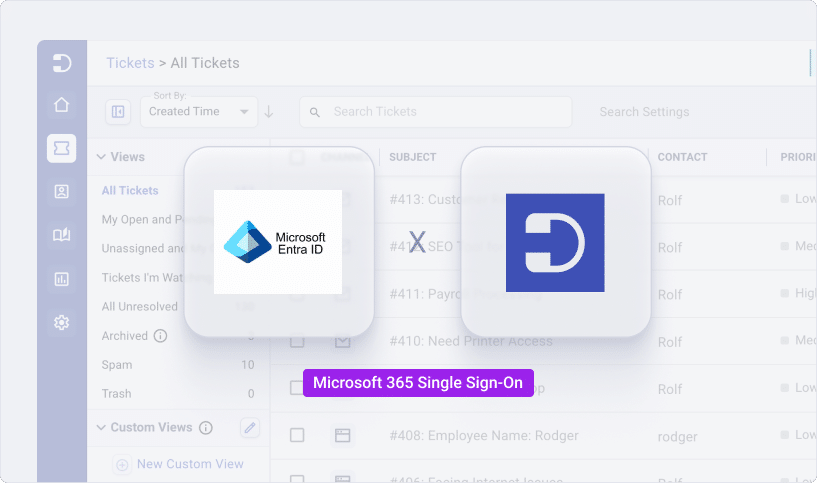
Simplify and secure authentication with SSO. Integrate with Entra ID sync to enable agents to log in using their existing credentials, reducing password fatigue and ensuring consistent access management.
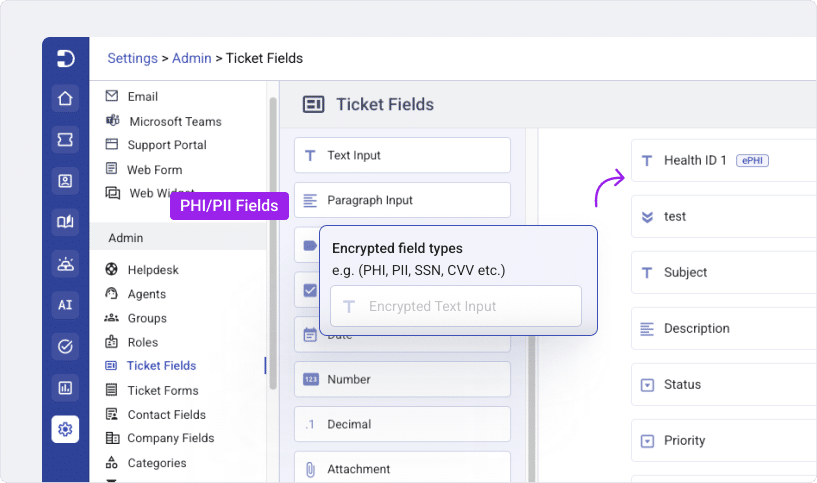
Desk365 enables secure handling of sensitive data through dedicated PHI/PII fields designed for protected information. With role-based permissions, organizations can strictly control which agents can view or access these fields, ensuring data privacy, compliance, and restricted visibility across support teams.
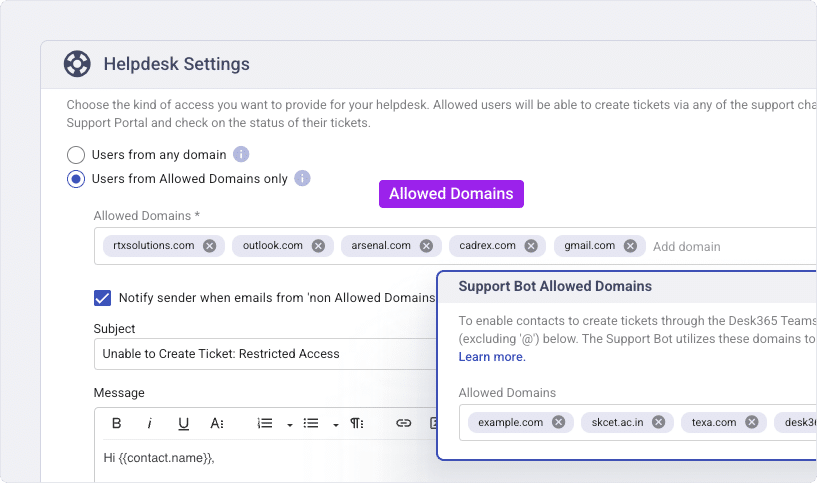
Control who can access your helpdesk by defining allowed domains. Only users from the domains you specify will be able to log in, adding another layer of security to protect your customer data.
Desk365 supports HIPAA-compliant operations with security and data protection controls designed for handling sensitive information. PHI/PII fields, data redaction, and encrypted field audit logs, enable better security. HIPAA compliance features are available only with the Premium plan.
Mobile
Experience Desk365 mobility
Make it easy for your end-users and support agents to access Desk365 directly from their mobile devices.
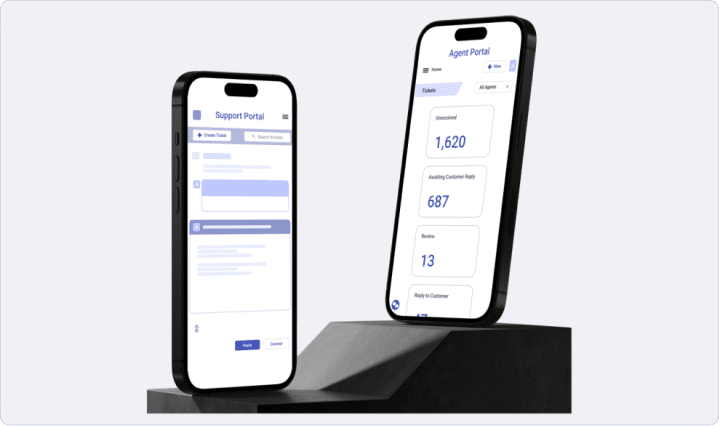
Your contacts can easily access the Support Portal and create new support tickets straight from their mobile devices.
Your end-users can view their tickets and their statuses from their mobile phones using the mobile Teams app and the Desk365 Teams Support Bot.
Allow support agents to effectively handle and address customer enquiries and requests on the go, using the mobile Teams app and the Teams Agent Bot.
Enable your support agents to effortlessly respond to tickets, update ticket properties, add notes, and perform other important actions directly from their mobile phones through the Agent Portal.
View powerful reports related to your support operations, such as ticket trends, response time, resolution time, customer satisfaction ratings, and more directly from mobile.
Trusted by 7,000+ businesses around the world
Empower your teams with the best AI-powered helpdesk platform
Choose from our high-value plans that are inclusive of all the features your business needs along with Microsoft Teams Ticketing, easy onboarding, enterprise-grade security and more. No credit card needed.